aiworkshop
  • Courses
  • Roadmaps
  • Pricing
  • Instructor
Sign in
Sign in

Learn AI by building it. 

In-person classes in Bengaluru. Learn to ship apps in containers, run AI on your own hardware, build your own AI data center, build your own AI platform, automate production infrastructure, fine-tune open-source models, build production AI agents.In-person classes in Bengaluru. Learn to ship apps in containersrun AI on your own hardwarebuild your own AI data centerbuild your own AI platformautomate production infrastructurefine-tune open-source modelsbuild production AI agents

Explore coursesSee course fees

Reserve a seat for ₹1,000. It comes off your course fee.

Master Docker
Run AI Locally vs Cloud
Build Your Own AI Data Center
Build Your Own AI Platform
Automate Production Infrastructure
Fine-Tune AI Models & LLMs
Build Production-Ready AI Agents
  • Build Your Own AI Data Center
  • Build Your Own Private Cloud Storage
  • Build Your Own Server from Scratch
  • Master Networking with MikroTik
  • Build Production-Ready AI Agents
  • Build Your Own AI Platform
  • Fine-Tune AI Models & LLMs
  • Master ComfyUI
  • Run AI Locally vs Cloud
  • Automate Production Infrastructure
  • Build AI-Powered Workflows with n8n
  • Master DNS, Domains & Load Balancing
  • Master Docker
  • Build Professional Websites & SaaS Products
  • Build Your Own AI-Powered Product Development Factory
  • Master ChatGPT, Claude & Ollama
  • Build Your Own AI Data Center
  • Build Your Own Private Cloud Storage
  • Build Your Own Server from Scratch
  • Master Networking with MikroTik
  • Build Production-Ready AI Agents
  • Build Your Own AI Platform
  • Fine-Tune AI Models & LLMs
  • Master ComfyUI
  • Run AI Locally vs Cloud
  • Automate Production Infrastructure
  • Build AI-Powered Workflows with n8n
  • Master DNS, Domains & Load Balancing
  • Master Docker
  • Build Professional Websites & SaaS Products
  • Build Your Own AI-Powered Product Development Factory
  • Master ChatGPT, Claude & Ollama

Courses

Every course
is hands-on

16 courses in 4 tracks, all taught in person. Scroll to turn the dial.

01/16

Course 01

Build Your Own AI Data Center

Plan, build and run your own GPU infrastructure for AI training and inference. You'll go from choosing hardware to serving live models on a working multi-GPU setup.

Seats in the next batch

Choose your seat
10 of 10 seats free
  • AI data center fundamentals: training vs inference workloads, cloud vs on-premise
  • Capacity planning: choosing GPUs and sizing for your workloads
  • Server hardware: CPUs, motherboards, PCIe lanes, RAM and power supplies for multi-GPU builds
  • Hands-on: assembling a GPU server
AI Data Center1Private Cloud2Servers3MikroTik4AI Agents5AI Platform6Fine-Tuning7ComfyUI8Local vs Cloud9Automation10n8n Workflows11DNS & Load Balancing12Docker13Websites & SaaS14Product Factory15ChatGPT & Claude16

Roadmaps

Pick a track.
Climb to the top

Each track is a set of courses in the order to take them. Book the whole track and get a seat in every course.

01020304NVIDIAUbuntuGrafanaUbuntuDockerPrometheusMikroTikWireGuardNextcloudMinIOTrueNAS
  1. 01AI Data CenterBuild Your Own AI Data CenterWk 1-8
  2. 02ServersBuild Your Own Server from ScratchWk 9-13
  3. 03MikroTikMaster Networking with MikroTikWk 14-18
  4. 04Private CloudBuild Your Own Private Cloud StorageWk 19-21
  5. Path completeWk 21

Track 1: Infrastructure Engineering

4 courses · 21 weeks · ₹4,000 reserves a seat in every course

Book this roadmap

Built by our team

Real products. Real backends.

These run in production today. The courses teach what's behind the screen: queues, GPU workers, autoscaling, media pipelines and usage metering.

1

AI Suite

In production

Eleven generative tools in one console: image to video, multi-angle shots, music, upscaling and more.

Visit aisuite.run

The backend you'll learn

  • Many models, one queueRoute image, video and music jobs to the right GPU workers.
  • Per-plan concurrencyLet each account run one or two jobs at once without starving others.
  • Autoscaling on queue depthAdd GPU workers as the queue grows, release them as it drains.
  • Metering by the secondBill only while a job runs; queue time and failed runs cost nothing.
  • AI Platform
  • ComfyUI
  • AI Data Center
  • Docker
aisuite.run
AI Suite home page

Under the hood

  1. Requestprompt / photo
  2. Job queueper-plan limits
  3. Model router11 tools
  4. GPU poolimage · video · music
  5. Storageyours to keep

Queue2 jobs

GPU workers2/8

Scaling upWorkers follow the queue, up and back down.

2

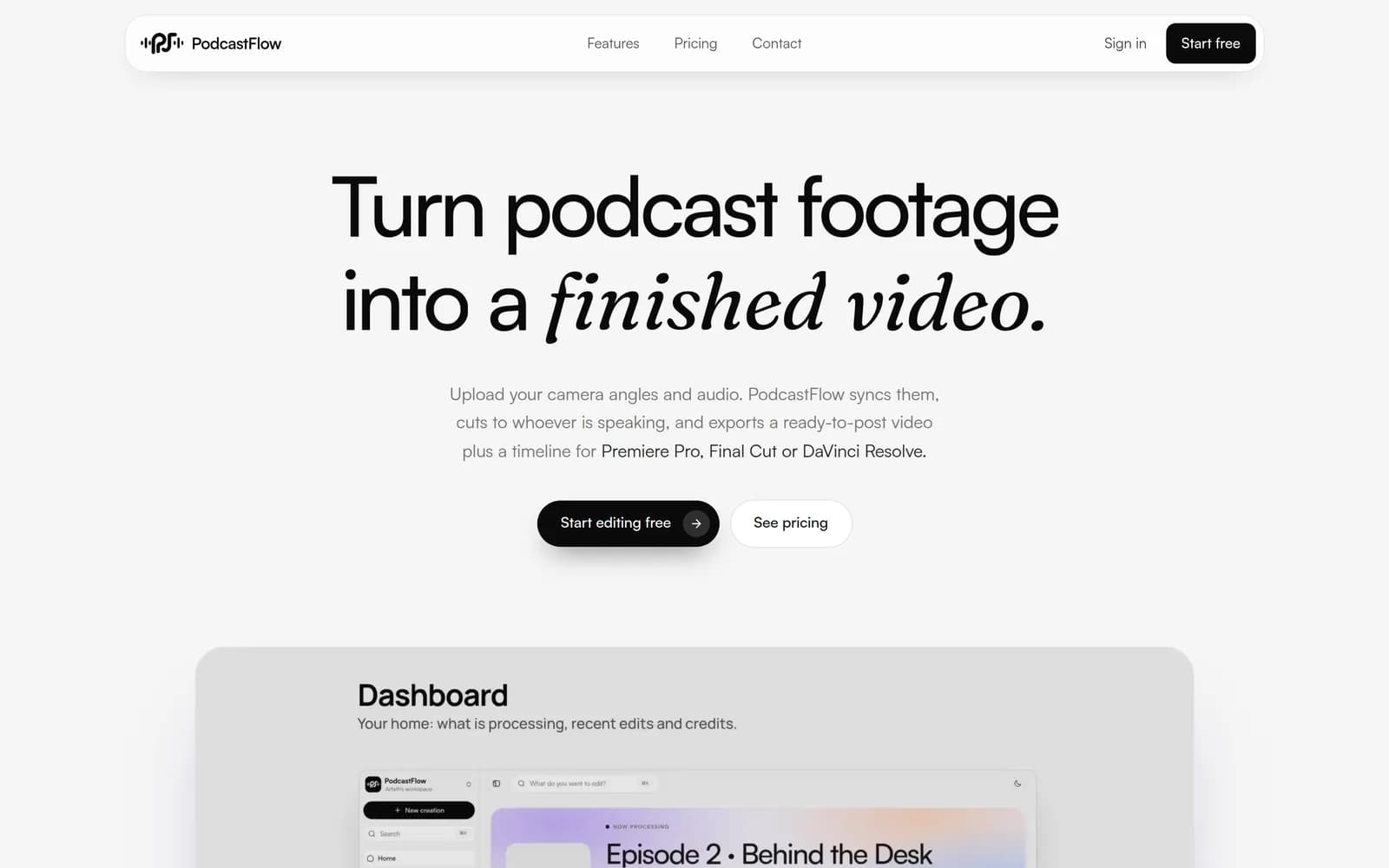
PodcastFlow

In production

Upload every camera angle and the audio; get a synced, speaker-cut video plus a timeline for your editor.

Visit podcastflow.app

The backend you'll learn

  • Large media uploadsTake in multi-camera footage reliably and store it in object storage.
  • Multi-stage pipelinesChain sync, speaker detection and rendering as retryable steps.
  • Render workers that scaleAdd encoders for a busy hour and scale back down when it's quiet.
  • Credits and quotasMeter renders and storage per plan, and pay only for what renders.
  • AI Platform
  • Docker
  • Automation
  • Private Cloud
podcastflow.app
PodcastFlow home page

Under the hood

  1. Uploadangles + audio
  2. Auto-syncalign to master
  3. Speakerswho's talking
  4. Renderoriginal quality
  5. ExportMP4 + XML

Queue1 jobs

Render workers1/8

SteadyWorkers follow the queue, up and back down.

3

gameclip.run

In production

Paste a stream or match; get vertical shorts with facecam, captions and a hook, ranked by the best moments.

Visit gameclip.run

The backend you'll learn

  • Jobs that outlive the tabProcessing keeps going after the browser closes; results wait for you.
  • Priority queuesLet paid jobs go first without blocking everyone else.
  • Vision and speech on GPUsRead the kill feed, transcribe speech and rank each moment.
  • Estimate, then bill exactlyShow a cost range up front, charge real seconds, refund failures.
  • AI Platform
  • Fine-Tuning
  • AI Data Center
  • Docker
gameclip.run
gameclip.run home page

Under the hood

  1. VOD linkYouTube · Twitch
  2. Ingestdownload + split
  3. Detectkills · speech
  4. Cut1080×1920 + captions
  5. Deliverclips + SRT

Queue3 jobs

GPU workers2/8

Scaling upWorkers follow the queue, up and back down.

4

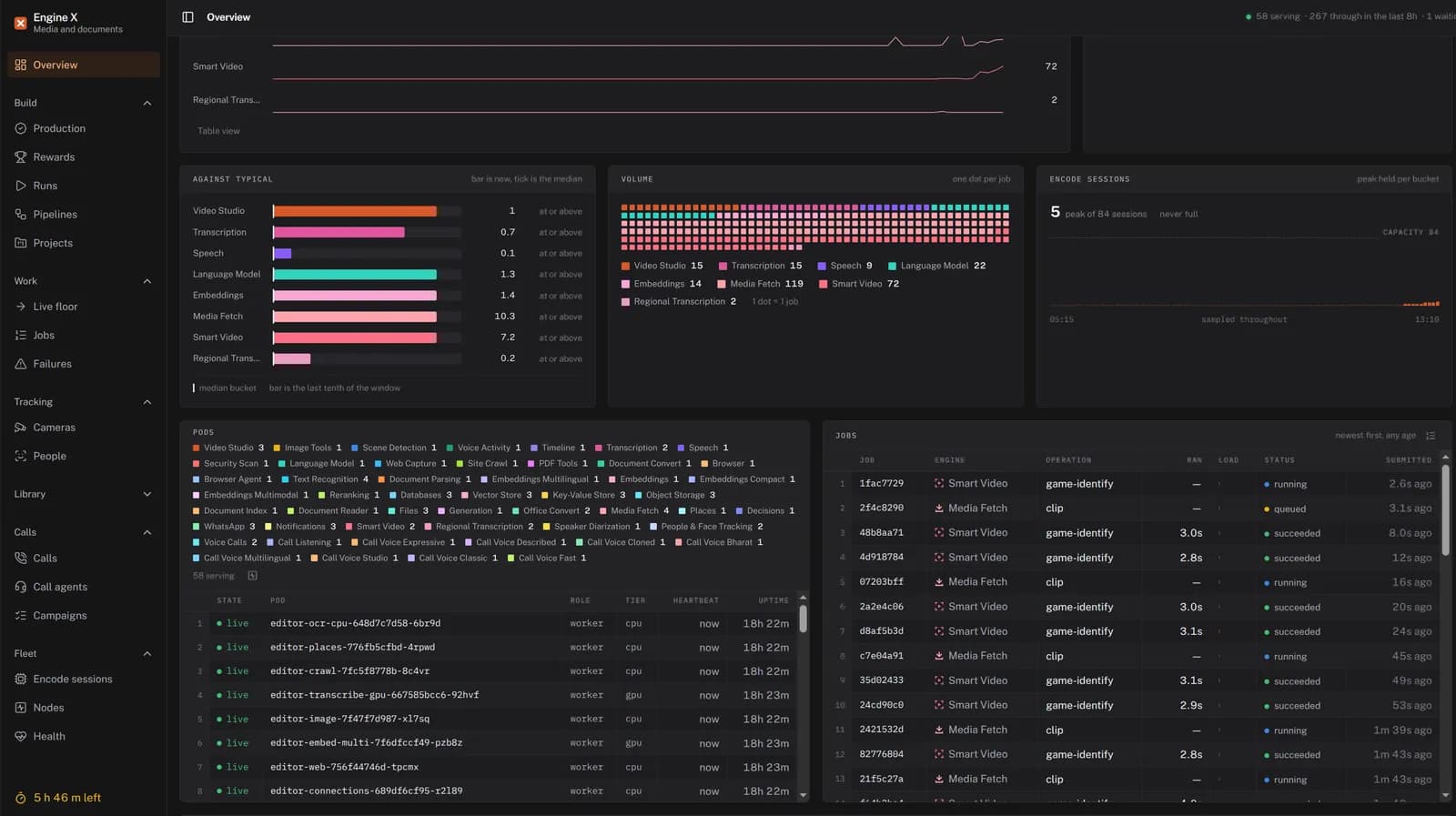
Engine X

In production

Media and documents in, structured output back. Build complex backends by wiring nodes into pipelines.

Visit enginex.run

The backend you'll learn

  • Pipelines of nodesWire ready-made engines together into one backend, step by step.
  • Scraping to voice callsScraping, documents, transcription, speech, language models, search and calls.
  • One live floorEvery job from every engine runs in one place you can watch.
  • Workers per engineEach engine runs on its own CPU or GPU workers.
  • AI Agents
  • n8n Workflows
  • AI Platform
  • Docker
enginex.run
Engine X home page

Under the hood

  1. Inputmedia · documents
  2. Pipelinenodes wired up
  3. Enginesscrape to calls
  4. Live floorevery job, watched
  5. Outputstructured data

Meet your instructor

@deepsoch_aideepsoch.ai
AI InfrastructureSystems Builder
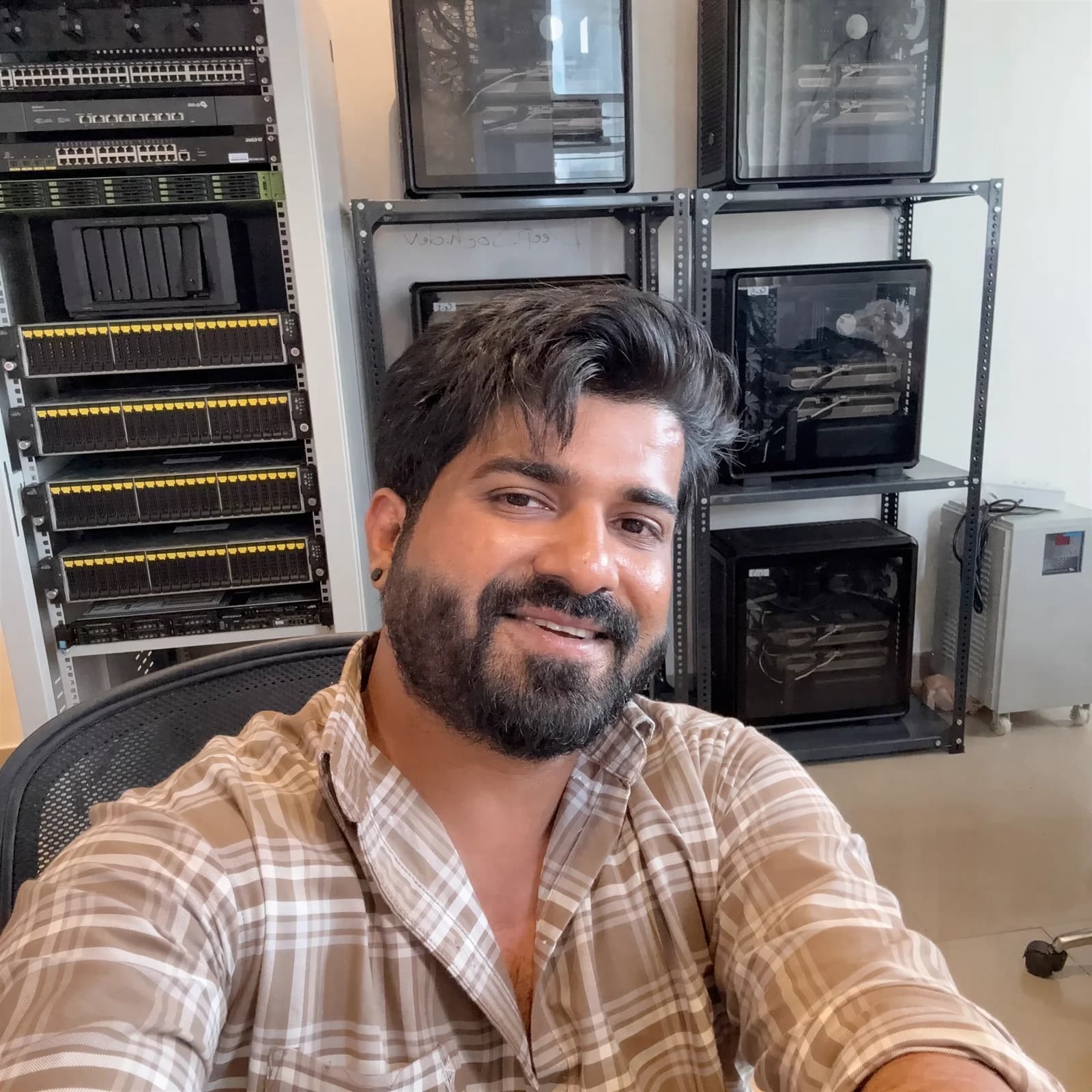
Karim Khan
Don't just use AI. Build it.

Karim Khan

Founder & CTO, Deepsoch AI Bengaluru · Mumbai

Karim has spent 17 years building software: from developer and full-stack engineer to founding and running SaaS and content platforms at scale. In 2023 he moved into AI research on GPUs he owns, and in 2025 founded Deepsoch AI, a self-funded company that has run on its own GPU infrastructure from day one.

He works where most AI courses stop: Kubernetes, GPU clusters, self-hosted models and the pipelines that keep products running. The workshop teaches the same systems behind AI Suite, PodcastFlow, gameclip.run and Engine X.

years building software
17years building software
AI products in production
4AI products in production
users in its first month
1,700+users in its first month
  1. 2009Starts as a software developer
  2. 2011Full-stack engineer
  3. 2014Founds Viralbollywood; builds SaaS and content platforms at scale
  4. 2023Begins AI research on self-owned GPUs
  5. 2025Founds Deepsoch AI, self-funded
  6. 2026AI Suite, PodcastFlow and gameclip.run go live

Why I teach

“Anyone can use an AI tool. Few people can build one. I want you to leave this workshop able to build, deploy and run real AI systems, the way we do every day at Deepsoch.”

Karim KhanLinkedInInstagram

Limited intake · 180 seats

Start with one course. 

16 hands-on courses in 4 tracks, taught in person on the same GPU servers that run our products. Book one course or a whole track.

Explore coursesReserve a seat · ₹1,000
aiworkshop

Learn to build, deploy, host and scale real AI systems. A workshop by Deepsoch AI.

  • support@deepsoch.aiHelp with courses, bookings and payments
  • contact@deepsoch.aiBusiness enquiries
  • Bengaluru, India

Workshop

  • Courses
  • Roadmaps
  • What you'll build
  • Instructor
  • Pricing

Company

  • About
  • Contact Us
  • Deepsoch AI

Legal

  • Privacy Policy
  • Terms & Conditions
  • Refunds & Cancellations
  • Cookie Policy

© 2026 Deepsoch AI Private Limited. All rights reserved.

Built in India, on self-owned GPUs.